> For the complete documentation index, see [llms.txt](https://support.limy.ai/llms.txt). Markdown versions of documentation pages are available by appending `.md` to page URLs; this page is available as [Markdown](https://support.limy.ai/intelligence/prompts-overview/prompts.md).
# Prompts
This article explains what you’ll see for each prompt and how to use prompt-level insights to understand your brand’s visibility in AI-generated answers.
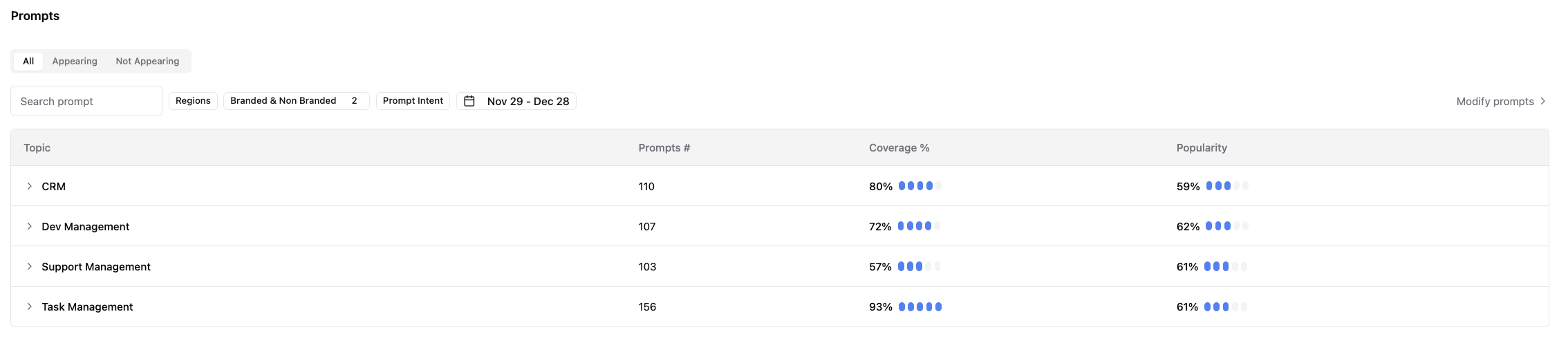
Navigate to **Prompts** from the left-hand navigation panel under **Intelligence**. This view displays the complete list of prompts tracked in your workspace.
### You will see all prompts, including:
* Prompts where your brand appears in AI-generated answers
* Prompts where your brand does not appear
Use the search bar to find prompts by keyword, or apply filters to narrow the list by brand presence, intent, region, or date range.
### For each prompt in the list, Limy shows:
* **Prompts:** The number of prompts in the topic
* **Coverage:** The percentage of prompts in the topic where your brand appeared in at least one AI response
* **Popularity:** How frequently the topic is queried by users across AI platforms. Higher popularity indicates greater potential audience reach.
This list view helps you quickly identify high-impact prompts, visibility gaps, and priority opportunities before drilling into individual prompt details.
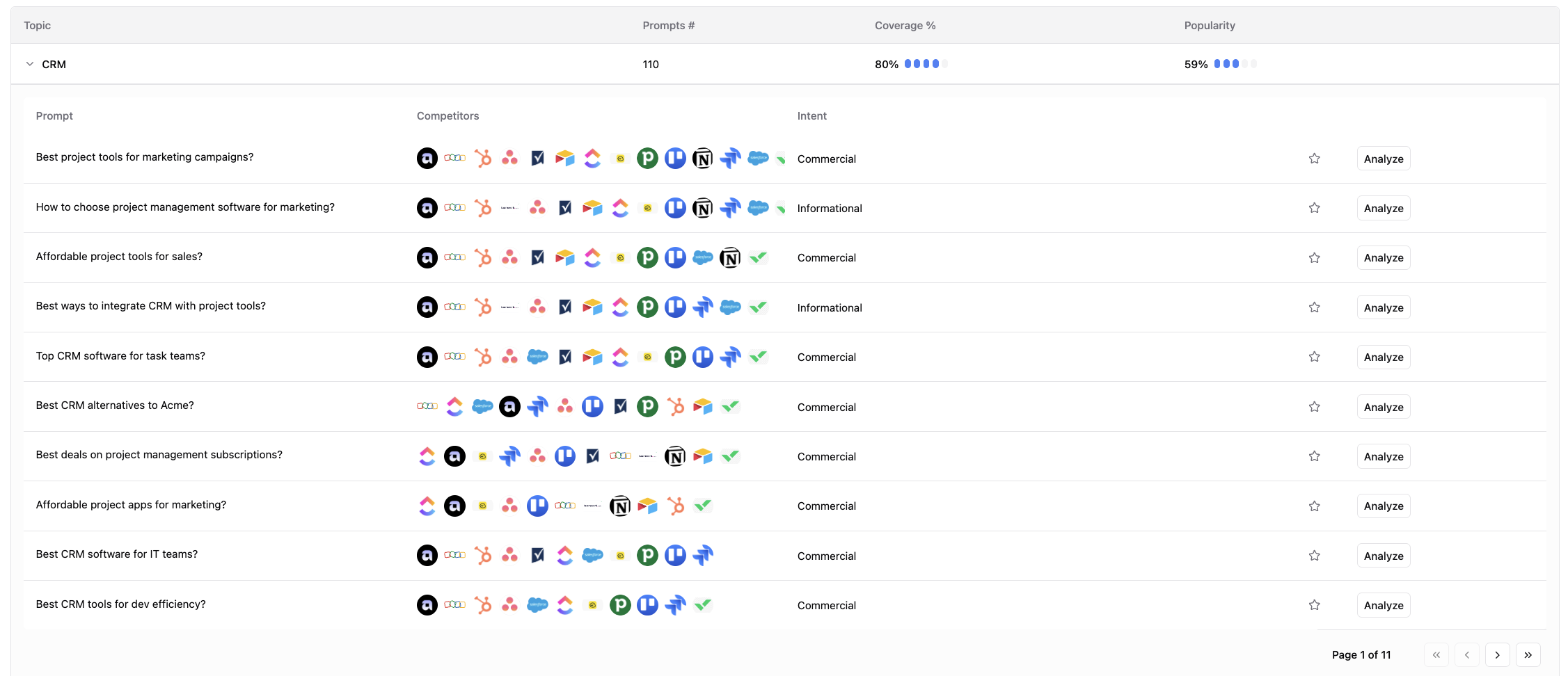
Expand a topic to view its prompts, the competitors appearing in each response, and the prompt intent. To view the full analysis for a prompt, click Analyze.
### FAQs
Why do some prompts not mention my brand at all?
AI systems reference brands based on perceived relevance, authority, and source coverage. Missing mentions highlight opportunities for improvement. How often are prompts run?
Prompts are run every 24–96 hours to provide updated results.
Can I add or modify prompts?
Yes. See Adding Prompts for instructions on creating prompts and Modifying Prompts for instructions on editing or removing them.
***
### Relevant Content
{% content-ref url="/pages/rhIt0brSQ0hkz06ZZFn1" %}
[Prompt Deep Analysis](/intelligence/prompts-overview/prompt-deep-analysis.md)
{% endcontent-ref %}
{% content-ref url="/pages/k4nrBG3HP9kOfzjahMqT" %}
[Modifying Prompts](/intelligence/prompts-overview/modifying-prompts.md)
{% endcontent-ref %}
{% content-ref url="/pages/XuGOIwFRmgZPG84YMF0v" %}
[Adding Prompts](/intelligence/prompts-overview/adding-prompts.md)
{% endcontent-ref %}
{% content-ref url="/pages/LoiAA6N4BPheGuTBYuCK" %}
[Dashboard Overview](/dashboard/dashboard-overview.md)
{% endcontent-ref %}
Still have questions? We’re here to help. Contact us at **** - we’d be happy to assist.