> For the complete documentation index, see [llms.txt](https://support.limy.ai/llms.txt). Markdown versions of documentation pages are available by appending `.md` to page URLs; this page is available as [Markdown](https://support.limy.ai/settings/deleting-competitors.md).
# Deleting Competitors
This article explains how to remove competitors from your Limy account.
**Competitors** allow you to track how your brand compares against other players in your market within AI-generated responses. By monitoring competitor presence, visibility trends, and sentiment, you can better understand **your competitive landscape and identify where you’re leading or falling behind in AI-driven discovery**.
You can remove competitors that are no longer relevant to your market or strategy.
### How to remove a competitor
{% stepper %}
{% step %}
#### Select **Settings** from the left navigation panel.
{% endstep %}
{% step %}
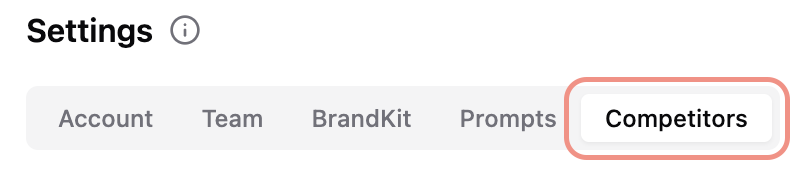
#### Select **Competitors**.
{% endstep %}
{% step %}
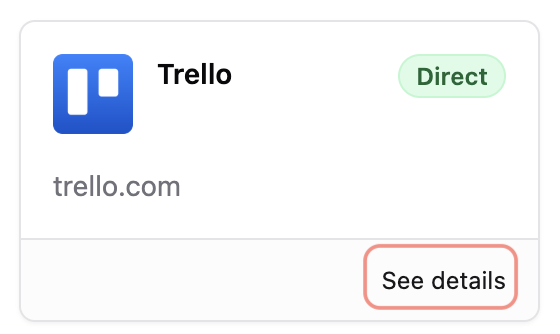
#### Choose a competitor and click **See details**.
{% endstep %}
{% step %}
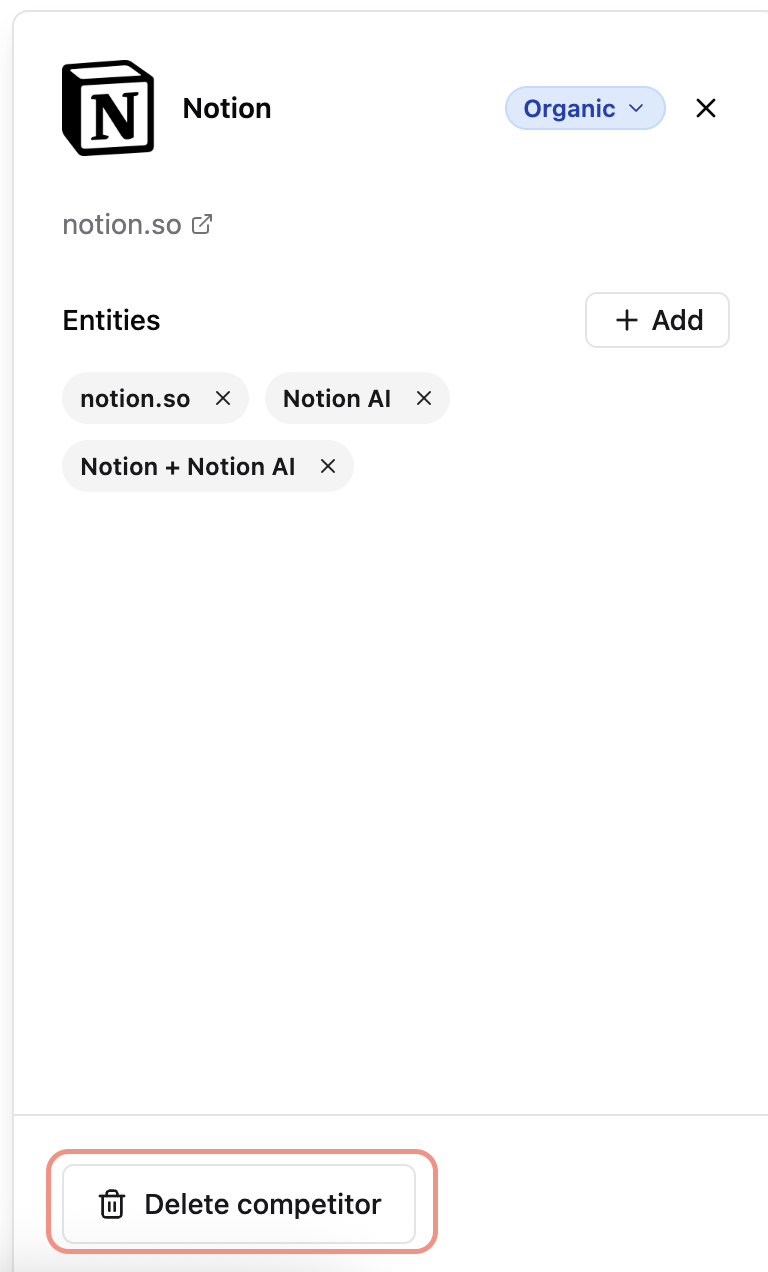
#### Click **Delete competito**r.
{% endstep %}
{% endstepper %}
{% hint style="warning" %}
Once a competitor is deleted, its historical data is also removed.
{% endhint %}
### FAQs
How are competitors selected?
Competitors are defined during setup and can be updated in Settings based on your market and strategy.
Can I add competitors later?
Yes. Competitor lists can be modified as your competitive landscape evolves.
Why do some competitors appear more frequently than others?
AI systems prioritize brands with strong source coverage, authority signals, and relevance to specific prompts.
***
### Related Content
{% content-ref url="/pages/Sk46Ijovi6f9RQ7iI339" %}
[Adding Competitors](/settings/adding-competitors.md)
{% endcontent-ref %}
{% content-ref url="/pages/rhIt0brSQ0hkz06ZZFn1" %}
[Prompt Deep Analysis](/intelligence/prompts-overview/prompt-deep-analysis.md)
{% endcontent-ref %}
{% content-ref url="/pages/LoiAA6N4BPheGuTBYuCK" %}
[Dashboard Overview](/dashboard/dashboard-overview.md)
{% endcontent-ref %}
{% content-ref url="/pages/oOwP6cxbNQsWB1DC42Hk" %}
[Overall Brand Visibility](/dashboard/dashboard-overview/overall-brand-visibility.md)
{% endcontent-ref %}
{% content-ref url="/pages/MyHHhCsaPf3IE2bjgEtl" %}
[Market Share Analysis](/dashboard/dashboard-overview/market-share-analysis.md)
{% endcontent-ref %}
Still have questions? We’re here to help. Contact us at **** - we’d be happy to assist.