> For the complete documentation index, see [llms.txt](https://support.limy.ai/llms.txt). Markdown versions of documentation pages are available by appending `.md` to page URLs; this page is available as [Markdown](https://support.limy.ai/optimization/recommendations/recommendation-plan.md).
# Recommendation Plan
This article explains how to define focus areas and preferences so Limy can generate recommendations aligned with your strategic priorities.
The Plan section allows you to **control** how recommendations are generated and prioritized based on your team’s capacity, focus areas, and growth strategy.
AI visibility optimization can span many surfaces - on-site content, off-site PR, technical improvements, and multiple topics at once. The plan helps you define where Limy should **focus** and how much work **your team can realistically handle,** so recommendations remain actionable rather than overwhelming.
By setting a plan, you ensure that Limy delivers recommendations that align with your business priorities and operational bandwidth.
### What the Plan Controls
The Plan allows you to define three key dimensions of your recommendation strategy:
* Where to grow visibility (on-site, off-site, or both)
* What topics to focus on
* How many recommendations your team can handle per week
These inputs guide how Limy generates and prioritizes recommendations for your workspace.
### How to Configure Your Plan
{% stepper %}
{% step %}
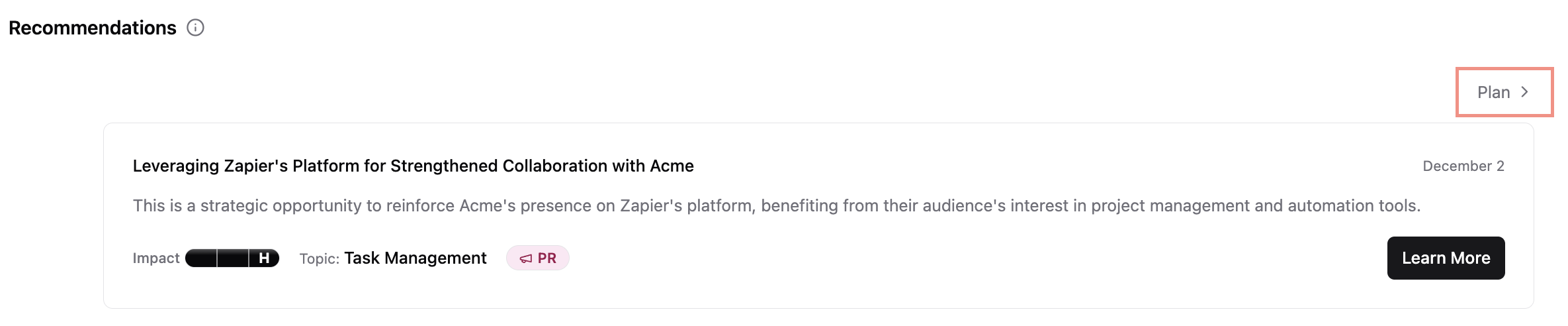
#### On the left panel, navigate to **Recommendations**
{% endstep %}
{% step %}
#### Click on **Feed**
{% endstep %}
{% step %}
#### On the right side, click on **Plan**
{% endstep %}
{% step %}
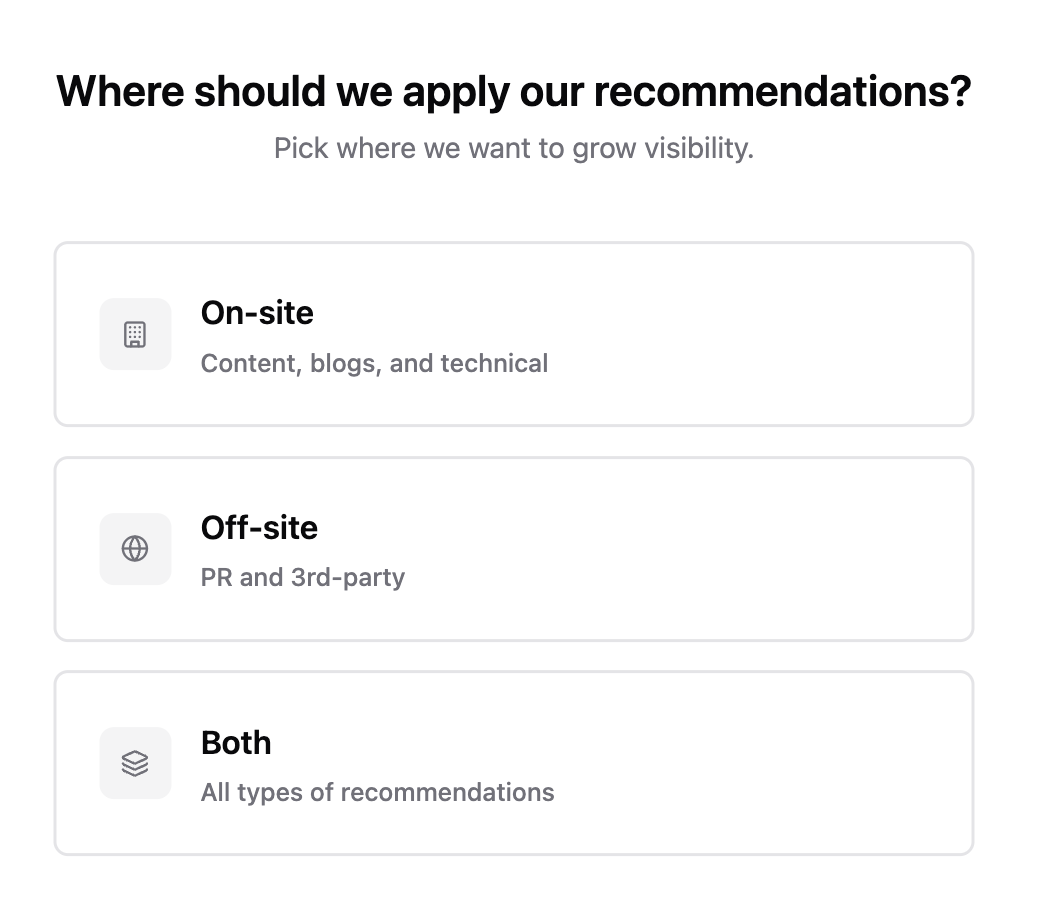
#### Choose your growth scope
Select where you want Limy to focus recommendation efforts:
* **On-site:** Content, blogs, and technical improvements on your website
* **Off-site:** PR, third-party coverage, reviews, and external mentions
* **Both**: A mix of on-site and off-site recommendations
This helps Limy tailor recommendations to the channels you want to prioritize.
{% endstep %}
{% step %}
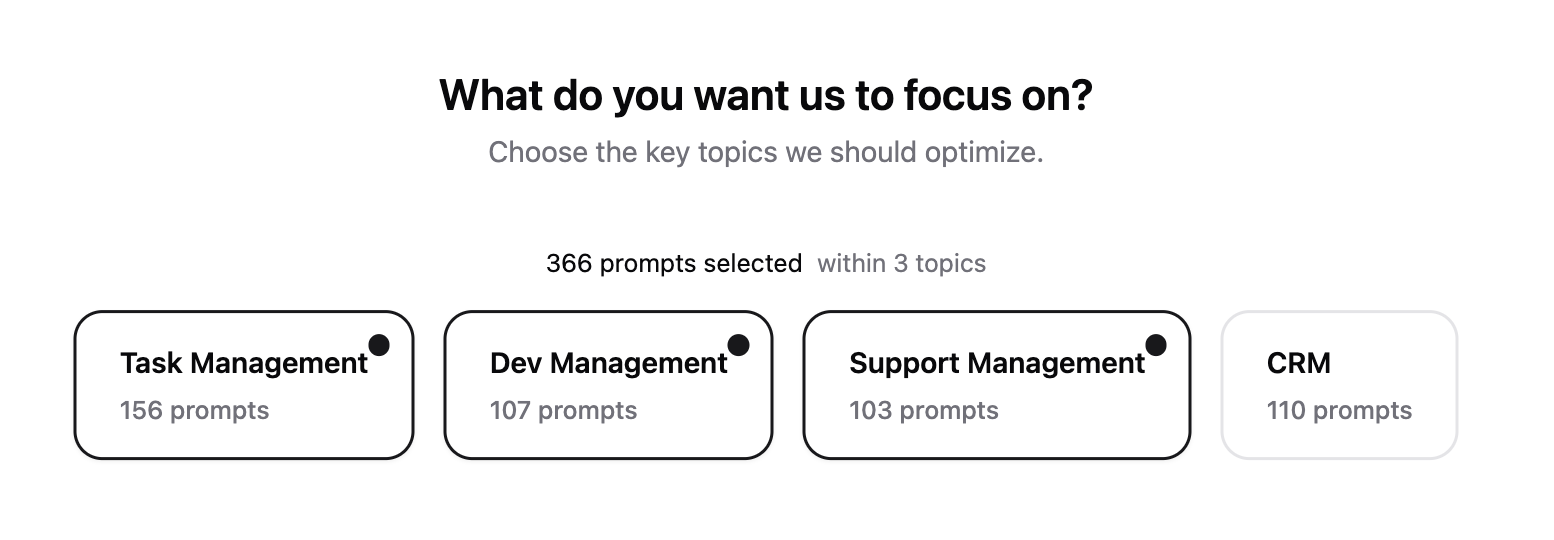
#### Select topics you'd like to focus on
Choose the key topics you want to optimize.
{% endstep %}
{% step %}
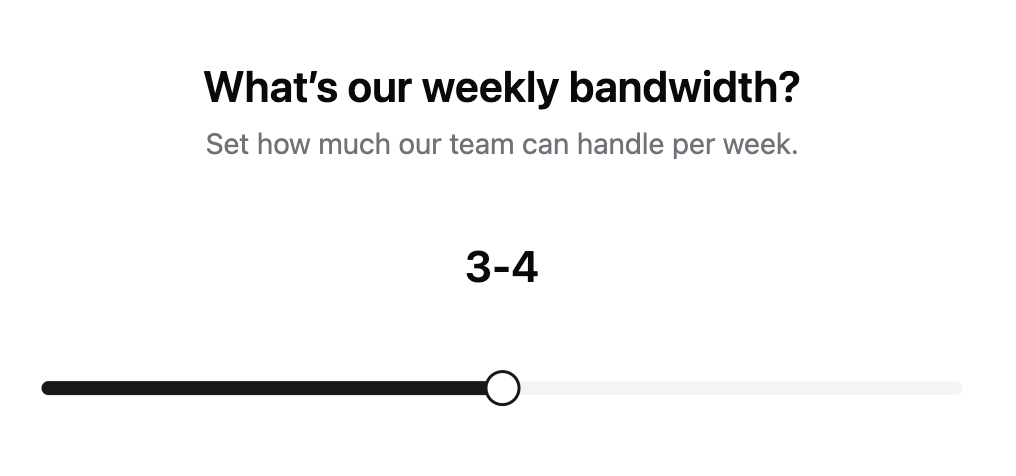
#### Set your team's bandwidth
Define how many recommendations your team can realistically work on per week.
This setting helps Limy:
* Limit the number of active recommendations
* Prioritize the highest-impact actions
* Avoid overwhelming your team with too many suggestions at once
You can adjust this setting at any time as capacity changes.
{% endstep %}
{% step %}
#### Confirm your current set up & complete your plan
{% endstep %}
{% endstepper %}
### When your plan is configured correctly, you should see:
* A steady, manageable flow of recommendations
* Clear alignment between recommendations and business priorities
* Faster execution and higher completion rates
* Better visibility improvements over time due to consistent execution
This plan helps turn recommendations into a sustainable operating model, rather than a one-time backlog.
{% hint style="info" %}
If no plan is created, Limy will determine which content to push, including the topics and number of recommendations. It’s important to keep statuses up to date so Limy can continue suggesting relevant recommendations.
{% endhint %}
### FAQs
Can I change my plan later?
Yes. You can update your plan at any time to reflect new priorities or changes in team capacity.
Does the plan affect existing recommendations?
The plan primarily affects future recommendations. Existing recommendations can still be completed or dismissed.
Should I start with fewer recommendations?
You can start with a lower bandwidth to help your team build momentum and ensure consistent execution. Once you understand how it works and who’s responsible, you can gradually increase the bandwidth.
Do I need to select all topics?
It is recommended to focus on fewer, high-priority topics to lead to better results.
***
### Related Content
{% content-ref url="/pages/ZgNtnzfIPFGaLSoQAEFw" %}
[Recommendation Feed](/optimization/recommendations/recommendation-feed.md)
{% endcontent-ref %}
{% content-ref url="/pages/ASpXoxU8G7y2quB7HMmo" %}
[Recommendation Types](/optimization/recommendations/recommendation-types.md)
{% endcontent-ref %}
{% content-ref url="/pages/XiB9wOE16TUiomLzxG10" %}
[Recommendation Statuses](/optimization/recommendations/recommendation-statuses.md)
{% endcontent-ref %}
{% content-ref url="/pages/AWtqxgqSiPtD7IfmSjls" %}
[Recommendations Tracking](/optimization/recommendations/recommendations-tracking.md)
{% endcontent-ref %}
{% content-ref url="/pages/ajfv8f1KphGMgjIVgm3T" %}
[Recommendation Guidelines](/optimization/recommendations/recommendation-guidelines.md)
{% endcontent-ref %}
Still have questions? We’re here to help. Contact us at **** - we’d be happy to assist.