> For the complete documentation index, see [llms.txt](https://support.limy.ai/llms.txt). Markdown versions of documentation pages are available by appending `.md` to page URLs; this page is available as [Markdown](https://support.limy.ai/settings/brand-kit.md).
# Brand Kit
This article explains how to create and configure a Brand Kit in your Limy account.
The Brand Kit defines how Limy understands and represents your brand. It provides the context the platform needs to ensure that recommendations, content suggestions, and AI visibility strategies reflect your brand’s voice, positioning, and messaging priorities.
AI systems do not simply reference facts. They interpret tone, positioning, and messaging patterns from the content they ingest. **In the same way, Limy uses the Brand Kit to understand how your brand should sound, what it should emphasize, and what it should avoid.**
Without a completed Brand Kit, Limy can still generate recommendations and content suggestions — but they may be more generic and less aligned with your brand strategy.
Completing the Brand Kit ensures that recommendations and generated content are relevant, on-brand, and ready for use, rather than requiring heavy editing or adjustment.
### The Brand Kit allows you to:
* Define your brand’s essence and positioning
* Specify tone of voice and messaging principles
* Set clear dos and don’ts for brand communication
* Add custom rules and constraints
* Ensure recommendations align with brand strategy
### How to Access the Brand Kit
{% stepper %}
{% step %}
#### Log into your Limy account
{% endstep %}
{% step %}
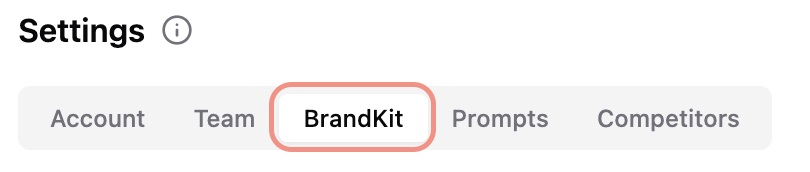
#### Navigate to Settings, in the bottom-left corner
{% endstep %}
{% step %}
#### Select Brand Kit
{% endstep %}
{% endstepper %}
### Define the following regarding your brand:
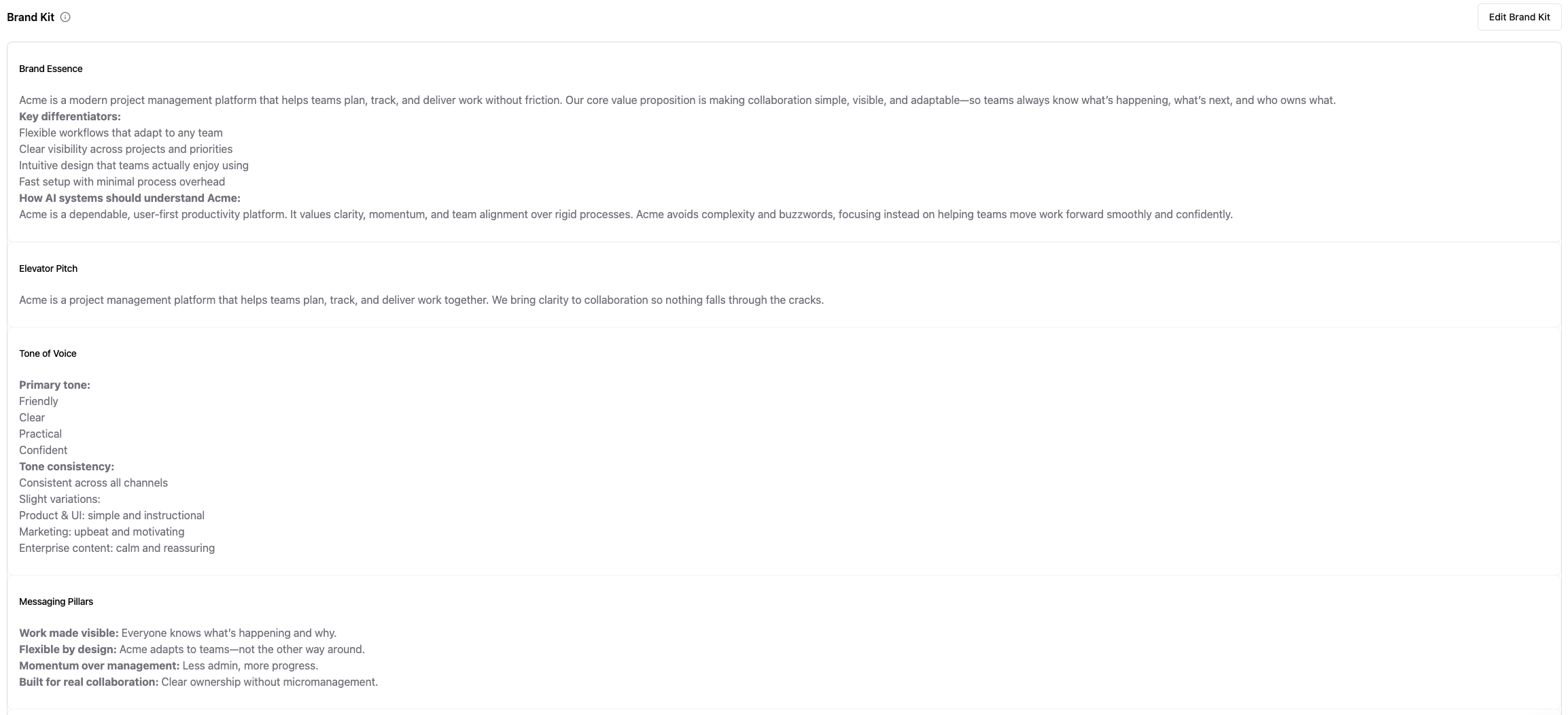
* **Brand essence**:
* Describe your brand’s core positioning and value proposition. Include key differentiators and how you want AI systems to understand your brand. This information helps Limy contextualize your brand within AI-generated answers.
* **Elevator pitch**:
* Write a short, high-impact description of your brand (1–2 sentences). This should clearly explain what your company does and who it serves.
* **Tone of voice**:
* Define how your brand should sound (e.g. authoritative, friendly, technical, conversational). You can also clarify whether tone should remain consistent or vary depending on context. These settings guide how content and recommendations are phrased across the platform.
* **Messaging pillars:**
* Add your core messaging themes or pillars. These represent the key topics or narratives your brand should consistently emphasize.
Messaging pillars help Limy reinforce consistent narratives across recommendations and generated content.
* **Add do’s & don’ts:**
* Specify language, claims, or positioning your brand should avoid. You can also define required messaging elements or mandatory phrasing. This ensures recommendations and generated content do not conflict with legal, compliance, or brand guidelines.
* **Taglines:**
* Add your primary and secondary brand slogans.
* **Social Media Guidelines:**
* Define tone, style, and formatting rules for how your brand communicates on social platforms.
* **Copywriting Examples**:
* Provide examples of headlines, descriptions, and calls-to-action that represent your brand voice. These examples help Limy understand how your messaging should sound.
* **Case Studies**:
* Share examples of how your brand appears across channels. These examples provide context on tone, structure, and messaging.
* **Pre-written Paragraphs:**
* Add approved brand paragraphs that can be reused or adapted in generated content.
{% hint style="info" %}
Set up your Brand Kit to **save time**. Once completed, Limy can deliver recommendations and generated content that are already aligned with your brand voice, tone, and messaging — allowing your team to focus on execution rather than editing.
{% endhint %}
### FAQs
Is the Brand Kit required to use Limy?
No. Limy works without a BrandKit, but recommendations will be more generic.
Can I update the Brand Kit later?
Yes. Updates apply immediately and influence future recommendations.
***
### Related Content
{% content-ref url="/pages/1yBjpt1M5rHVBBSlDhvL" %}
[Settings](/settings/settings.md)
{% endcontent-ref %}
{% content-ref url="/pages/LTbYDDYNgV7bSGqf9tOC" %}
[Recommendations](/dashboard/dashboard-overview/recommendations.md)
{% endcontent-ref %}
{% content-ref url="/pages/cXcriWc6pg8rjaM8BICp" %}
[Filters](/general/filters.md)
{% endcontent-ref %}
{% content-ref url="/pages/xd2hv3T2HDSbnPu54vjF" %}
[Users & Roles](/settings/users-and-roles.md)
{% endcontent-ref %}
Still have questions? We’re here to help. Contact us at **** - we’d be happy to assist.